
B-Checked
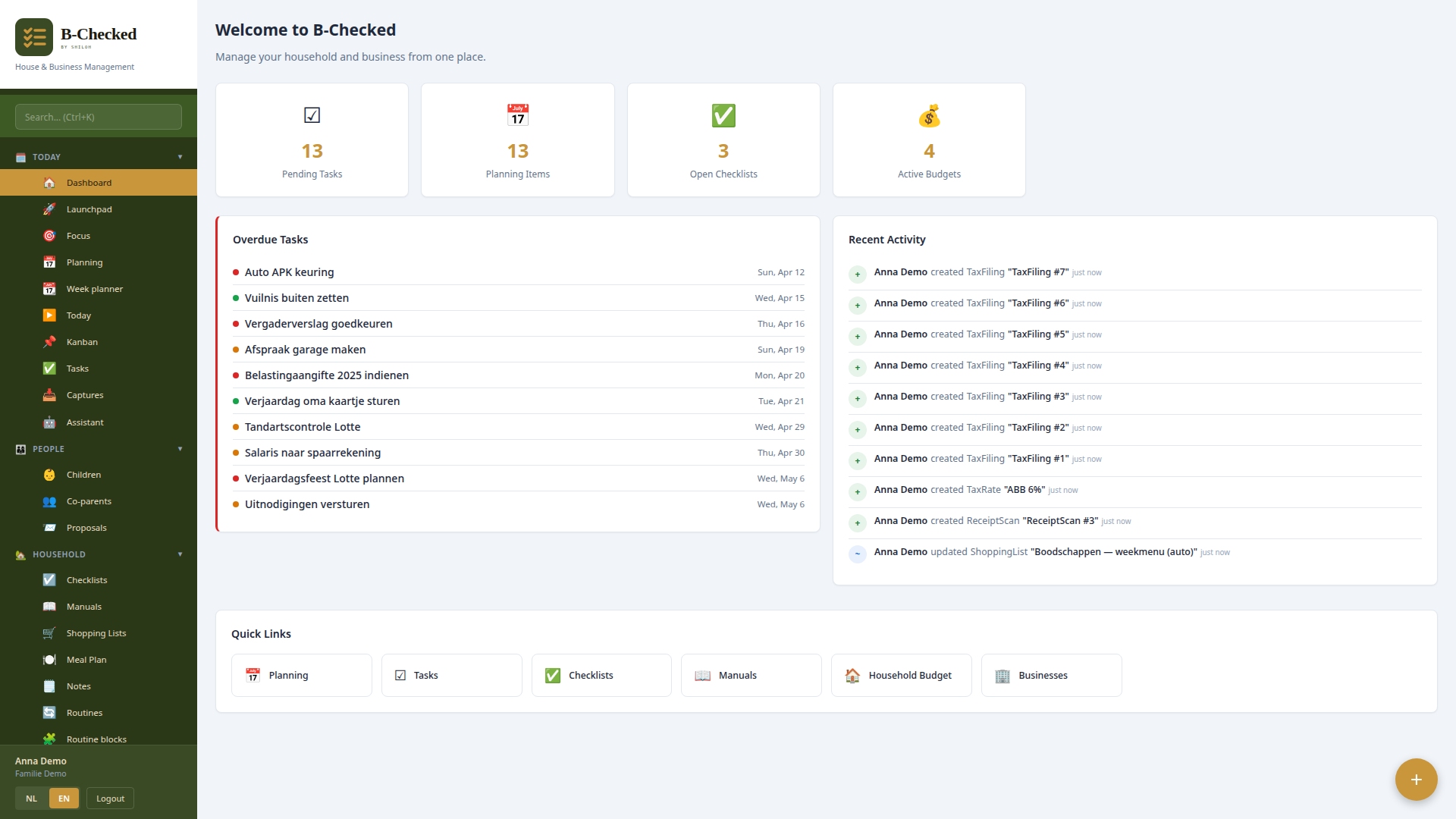
A platform to organise household and small-business life in one place.
B-Checked was born out of necessity. At the start of a stormy period I noticed I'd suddenly lost the structure I had at home, and I didn't know how to rebuild it. I thought: if I make a plan, a daily schedule, that'll help. Sure, you can do that on a piece of paper, but for me it escalated into B-Checked.
The original name was Huismeester — that's how I still call it in my head. The idea was a central place for all the knowledge and planning of the household. It started with routines to keep track of what I had to do at what time, because with ADHD I often forget what I'm in the middle of. Along the way more and more things got added because I noticed: just a schedule isn't enough.
Does this interest you?
Voting is the main way to help me — it tells me where the interest is and where to put my time.
Or send me a message — i'd like to take part or ask a question +
Huismeester is about managing a household. You can be a member of multiple households — they can fall apart, after all — and it's a tool that helps with communication between households.
Planning
The calendar is fed from three sources:
- Schedule items — agenda points with start and end time, date, location.
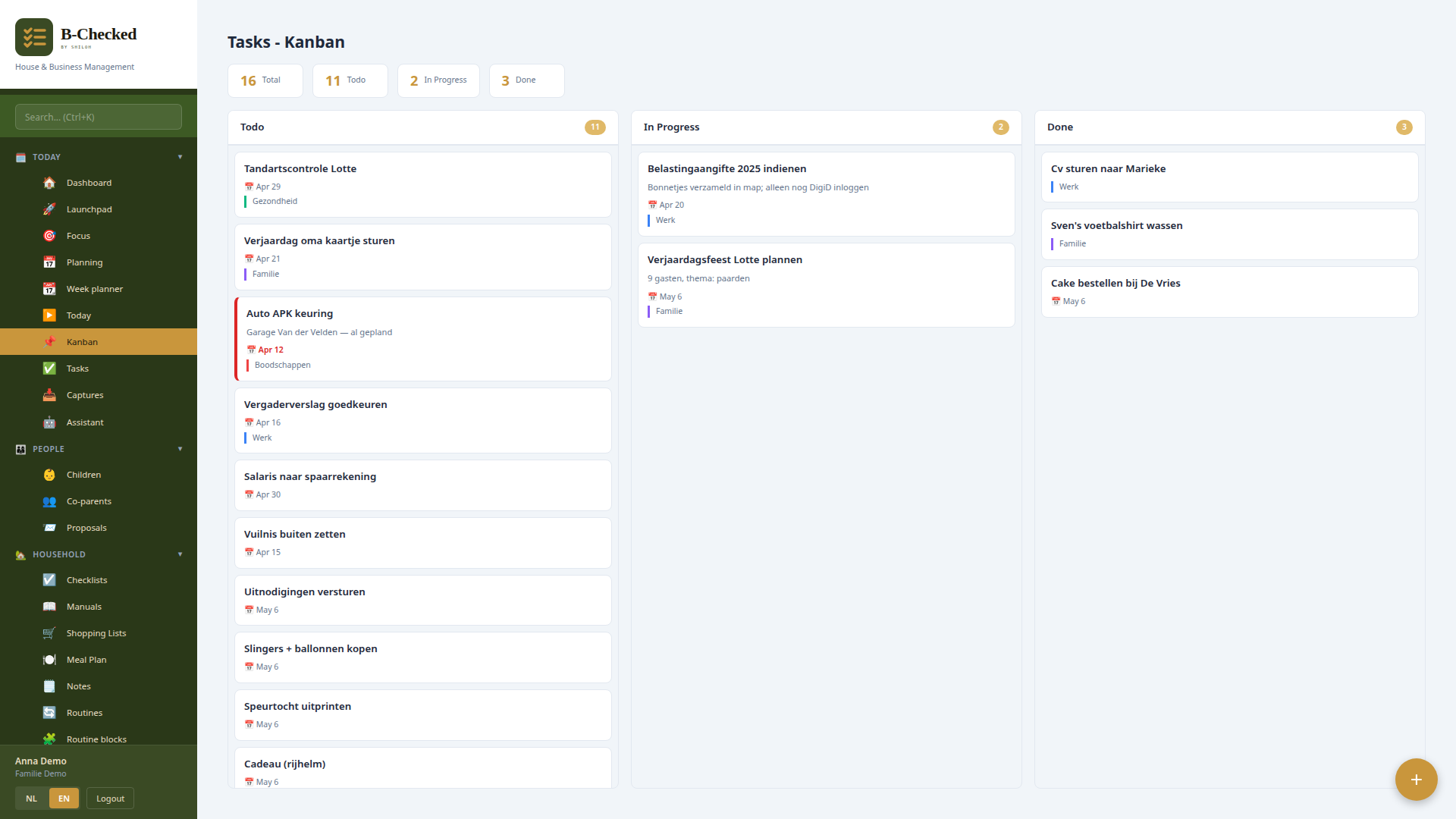
- Tasks — things that need to get done, with an optional deadline.
- Routines — recurring blocks like breakfast, where you indicate which days they're active on.
A routine can consist of variations. For example: breakfast is bread with egg, cornflakes, or oatmeal. Per variation you set the ingredients needed. Based on that, the system automatically builds a shopping list.
The calendar has categories — you make one per topic — and syncs two-way with your phone, computer, or mail program.
Finances
A module for financial admin: set budgets, track expenses, scan receipts and link them to a budget. For small one-person businesses you can separate household and business budgets, with stock management and depreciation values included.
Thanks to the integration with Sentoo and PagaDirect you can create invoices directly within Huismeester that are immediately payable through those payment systems.
By now this has grown into full double-entry bookkeeping. You get a general ledger with reports — balance sheet, profit & loss, trial balance, cash flow and budget vs. actual — and you close accounting periods.
- Bank import — import your bank statements and link the lines to transactions and budgets.
- Purchase invoices — upload and book purchase invoices, including the PDF.
- Recurring budgets — monthly budgets that come back automatically each period, with categories linked to ledger accounts.
Taxes on the BES
Built for the Caribbean Netherlands: the official filing forms are included — mimicked and pre-filled from your own data: ABB (from your finalised invoices), Loonheffing (payroll tax, from a gross-to-net calculation per the Handboek Loonheffingen BES 2026) and Opbrengstbelasting. Filed returns and annual accounts are kept in an archive. The forms are indicative — you file officially via MijnCN/BCN.
Practical
- Notes — free text block.
- Checklists — create them, let others run through them.
- Guides — write out a process for someone else and share it via a special URL.
Proposal system
For situations where communication is rough — for instance separated parents who share a child. You make a proposal linked to a child; the other person can agree, reject, or indicate what would need to change for them to agree. Everything stays visible to both sides.
The other parent does NOT need to have a B-Checked account — they receive a magic link and can respond through it. That way communication runs through the system, and a lot of stress and hassle is avoided.
AI integration
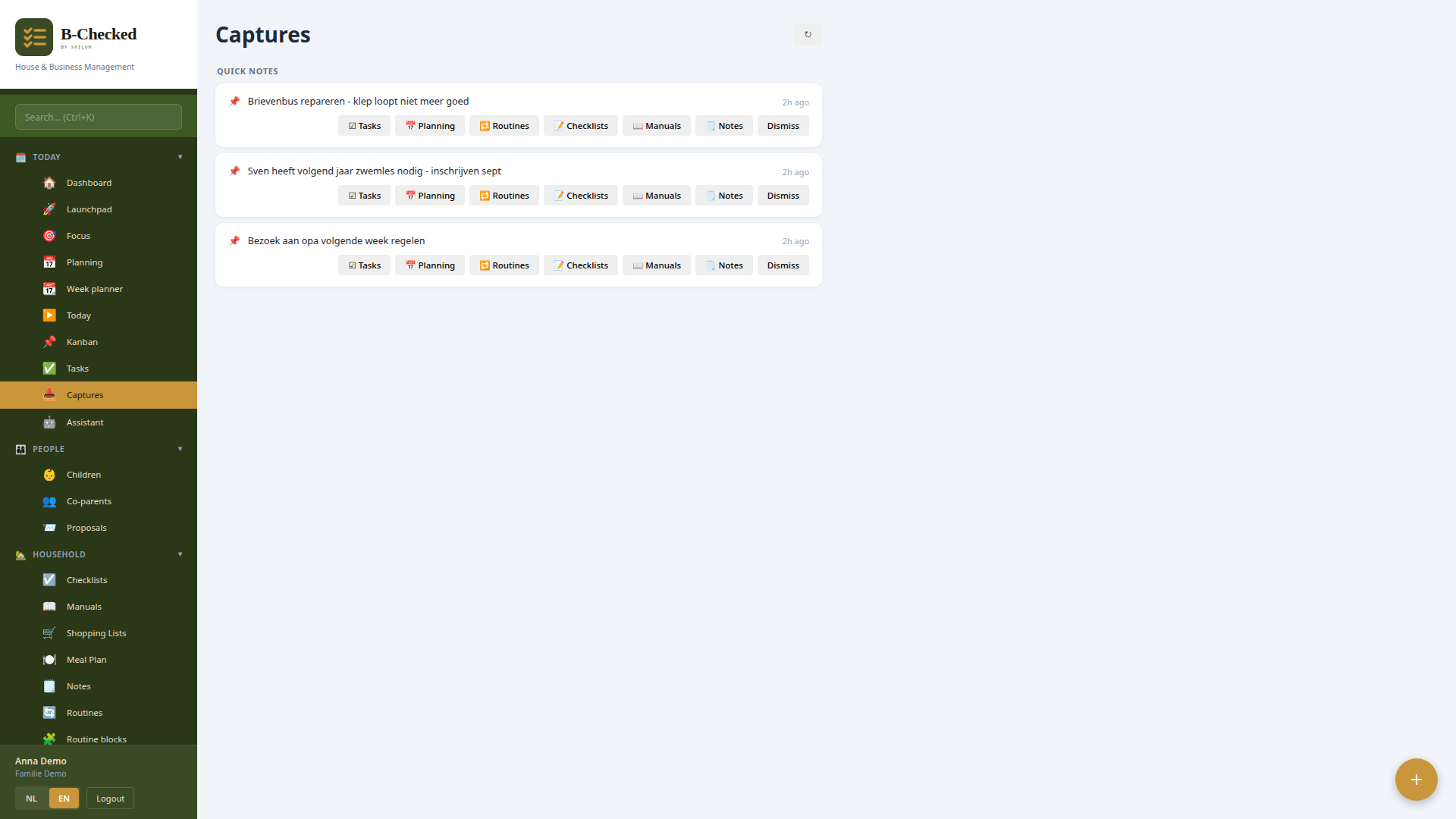
Because nobody has time to enter routines for every day, there's Quick Capture. You enter text or upload a photo, and the system figures out which objects should be created. Write "tomorrow at two to the doctor" and a schedule item appears.
On the other side there's an MCP connection so you can adjust things in your household through a chatbot — open your ChatGPT app, say "put doctor tomorrow in B-Checked", and it's handled.
And lately that no longer has to go through an external app: there's now an assistant inside B-Checked. A chat window that knows your household data — books, deadlines, today's date — replies in your own language and sets things up for you (with your confirmation).
Interested? Let me know and I'll set up a household for you so you can try the system. Feedback is welcome.
Does this interest you?
Voting is the main way to help me — it tells me where the interest is and where to put my time.