
Broadcaster
A digital mixer over your network — synchronised music everywhere, with low latency, MIDI control and per-bus DSP effects.
The Broadcaster is my favourite app of late — a horribly overgrown experiment in how synchronously can I hear the same music everywhere?
It was born out of necessity. When I came out of the storm, I realised that singing — rapping, really, to be precise — helps me when I'm feeling demoralised or out of energy. I live on a kunuku (the countryside plot) in Playa Grandi: lots of space, multiple buildings spread out across distance. What I noticed was that when I was rapping happily behind my computer and then had to go to the toilet (outside, because everything is separate), I'd lose that energy during that little walk — there was no music to rap to anymore.
Then I remembered how amazing it is in a theme park: the same music everywhere, perfectly synchronised. I thought: I want that too. That's how The Broadcaster was born.
Does this interest you?
Voting is the main way to help me — it tells me where the interest is and where to put my time.
Or send me a message — i'd like to try the broadcaster or take part +
A digital mixer over your network
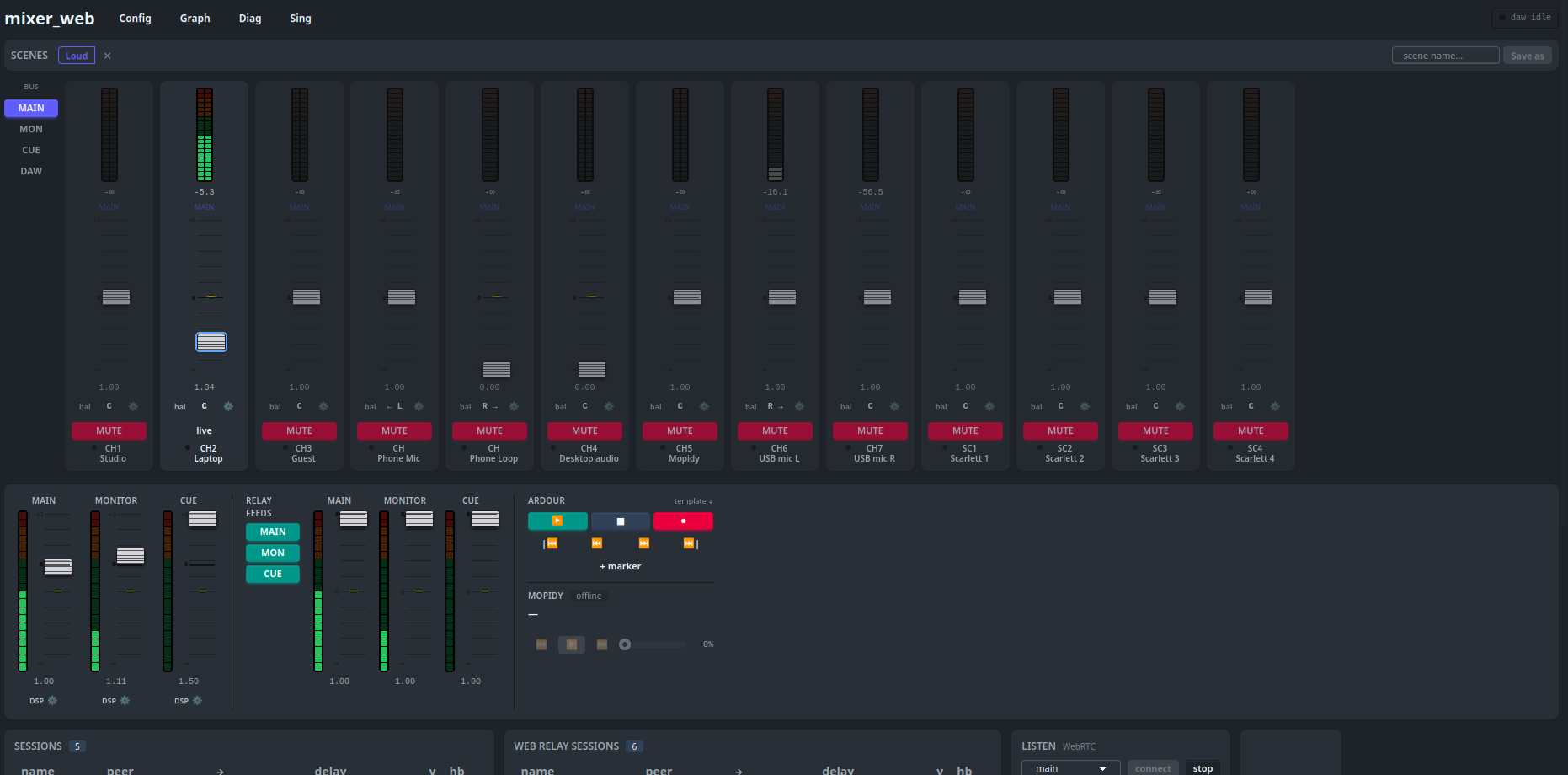
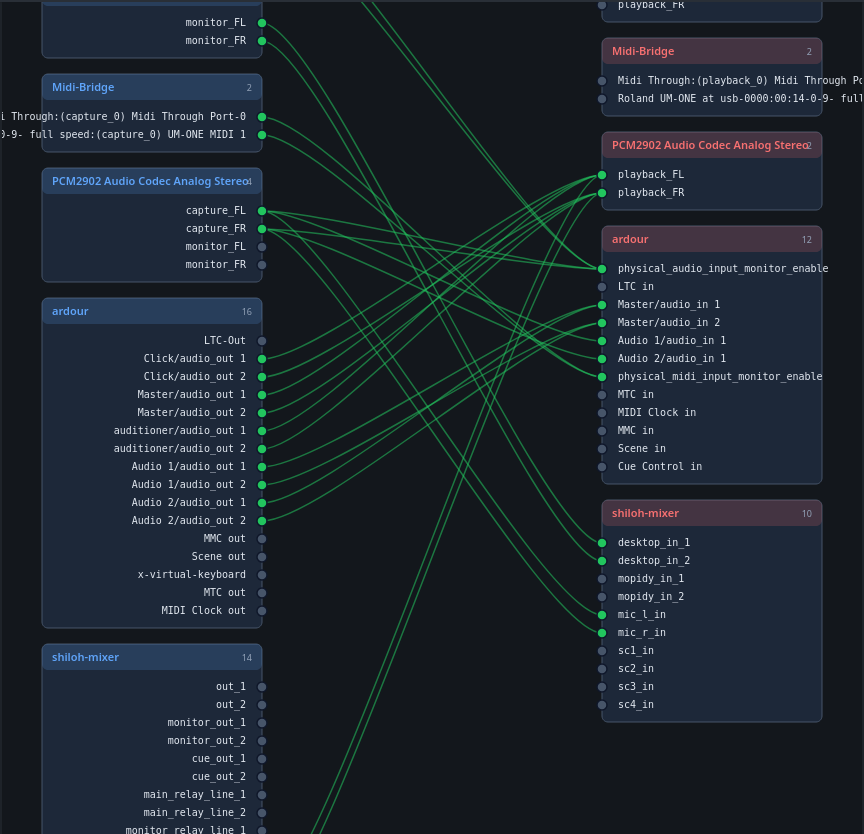
The Broadcaster is a digital mixer that works over your local network. It has multiple channels — I usually run with 8 or 10 — and channels are fed by applications on your computer, which appear on the mixer as virtual microphones or input lines. That audio can come from any computer on your network.
The whole point is low latency. Between "audio is played on computer A" and "it comes out of the speaker at computer B" there's about 20 to 30 milliseconds. You can even hear a microphone in real time on a speaker elsewhere in the house — there's a very small, slightly annoying delay, but it works.
It can also run over the internet, but then by definition you have a lot of latency. So not for synchronous playback, but it works as a web stream where people can listen along to what you're broadcasting.
My own setup
Two computers side by side. Computer A is where I work — no speakers. Computer B sits next to it, is connected to my physical audio mixer and speakers, and is where all the recording applications run. When I play music on A the audio goes over the LAN connection to B, the mixer there passes it through, and it eventually comes out of the speakers — from "play" to "audible" is about 20 to 30 ms.
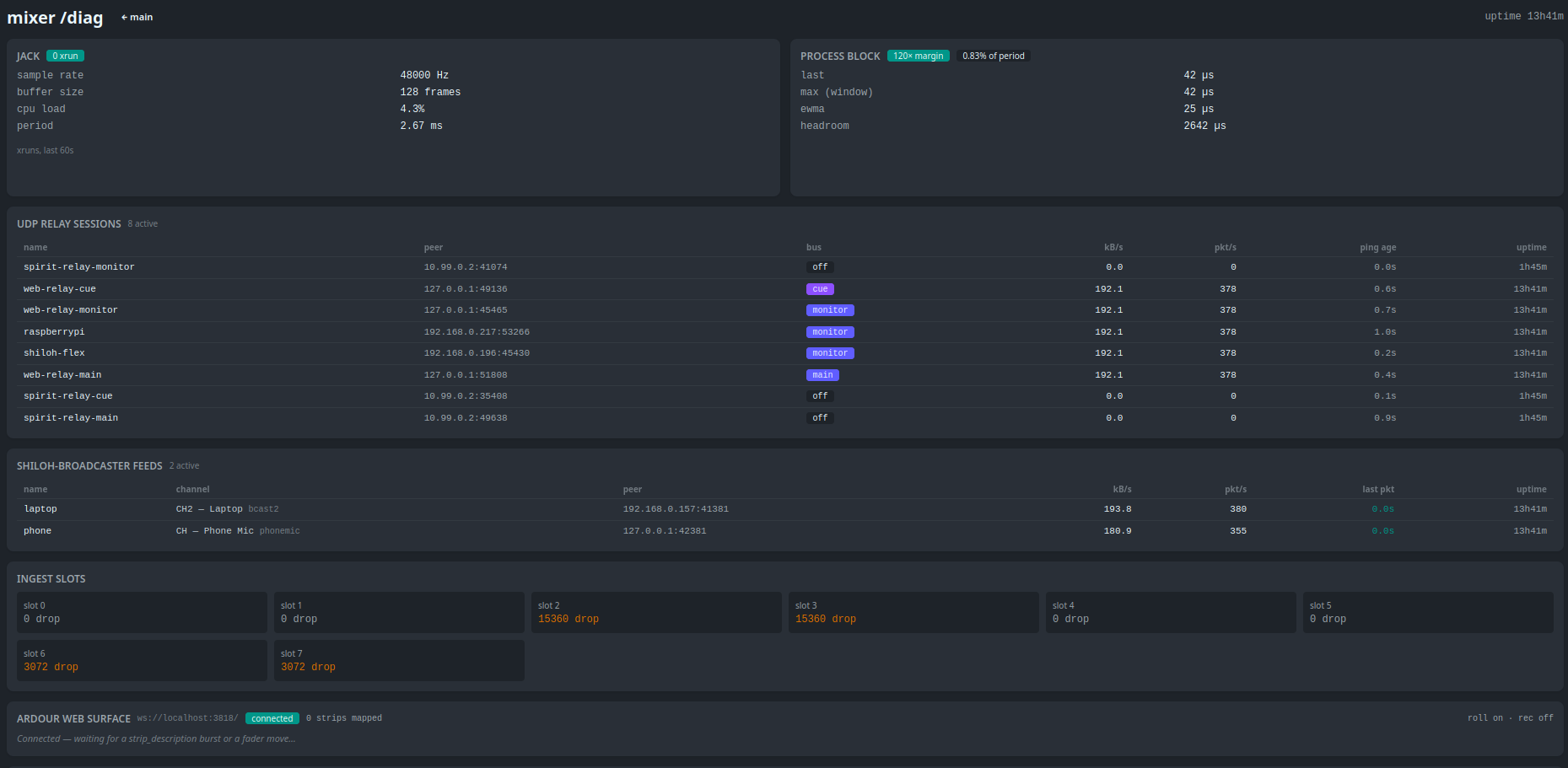
In addition to that central setup I have smaller computers in various spots on the kunuku, connected to other speakers. I call them relays: their only task is to pass along what comes out of the mixer. I have two of them now. So I can walk out of my room, hear the same music outside, sit on the toilet and still hear the music, and then walk 100 meters up to my mother's house — same beat everywhere, same bassline, all synchronised. For me that's enough.
Per-bus DSP effects
There are three program buses (main, monitor, cue) and each bus has its own DSP plugin chain that's applied post-mix. Per bus you can assemble a chain via config from:
- echo — stereo echo with delay (ms), feedback and mix
- reverb — stereo reverb with wet mix and decay
- high_pass / low_pass / mid_pass — filters with adjustable frequency and Q
- delay — simple delay without feedback
So I can, for example, keep things dry on the monitor and throw a bit of reverb on the main.
MIDI control
You can connect a MIDI keyboard (or another MIDI controller) to control channel volumes, transport and Ardour navigation — no mouse needed. It works modally, so with a handful of keys you can reach everything. How it works exactly is in the MIDI doc.
Multicast over LAN
Optionally The Broadcaster can send audio via multicast instead of a separate unicast stream per relay. That scales much better: more relays in your LAN without the bandwidth per stream being additionally taxed.
Use cases (open questions)
For me this is a complete win. But it could also be valuable for others — although I'm not sure that's the case. A few ideas, and your other ideas are welcome:
- Shared workspace — multiple people in one room with one speaker. Everyone can broadcast their own music to the mixer; one channel is routed to the speaker. Someone fada of Ritme Kombiná? They switch to bachata via the mixer — that simple.
- Small band recording — anyone without budget for a big physical mixer can use the digital mixer. The only thing you have to buy yourself are a few USB sound cards to connect the input lines to the computer. That way you do multi-track recording and multi-track broadcasting at the same time — without a hardware mixer.
Maybe there's no interest in this at all. That's why this is an open question.
More reading
- Site: broadcaster.shilohbv.com
- Docs: broadcaster.shilohbv.com/docs — installation, config and detailed explanation of all the features
Does this interest you?
Voting is the main way to help me — it tells me where the interest is and where to put my time.